
01
How this fits the Turins ecosystem
This page supports the larger Turins mission of making learning more measurable, adaptive, and institutionally trustworthy.
Products / Teacher Tools
Homework assignment, practice review, topic insights, and student visibility without increasing repetitive correction load.
teacher view
Needs review
68%
Common error
75%
Completed homework
82%
Ready to advance
89%
Teachers should see exactly how the system supports homework, reinforcement, gap visibility, and classroom action.
Clear workflows, defined learning states, and practical adoption paths.
Progress should be visible through practice, mastery, consistency, and topic-level insight.
School-facing education technology must reduce risk, not create new uncertainty.
Clear workflows, defined learning states, and practical adoption paths.
01
This page supports the larger Turins mission of making learning more measurable, adaptive, and institutionally trustworthy.
02
Schools, parents, teachers, and partners can use this layer to understand how structured practice becomes better insight and better support.
Next journey
Conversion point
Speak with Turins about the right adoption pathway for your school or institution.
TinyTutor product layer
TinyTutor should be instantly understandable to a principal: what the student does, what the teacher sees, what the parent receives, and how the school reviews progress.
Student app
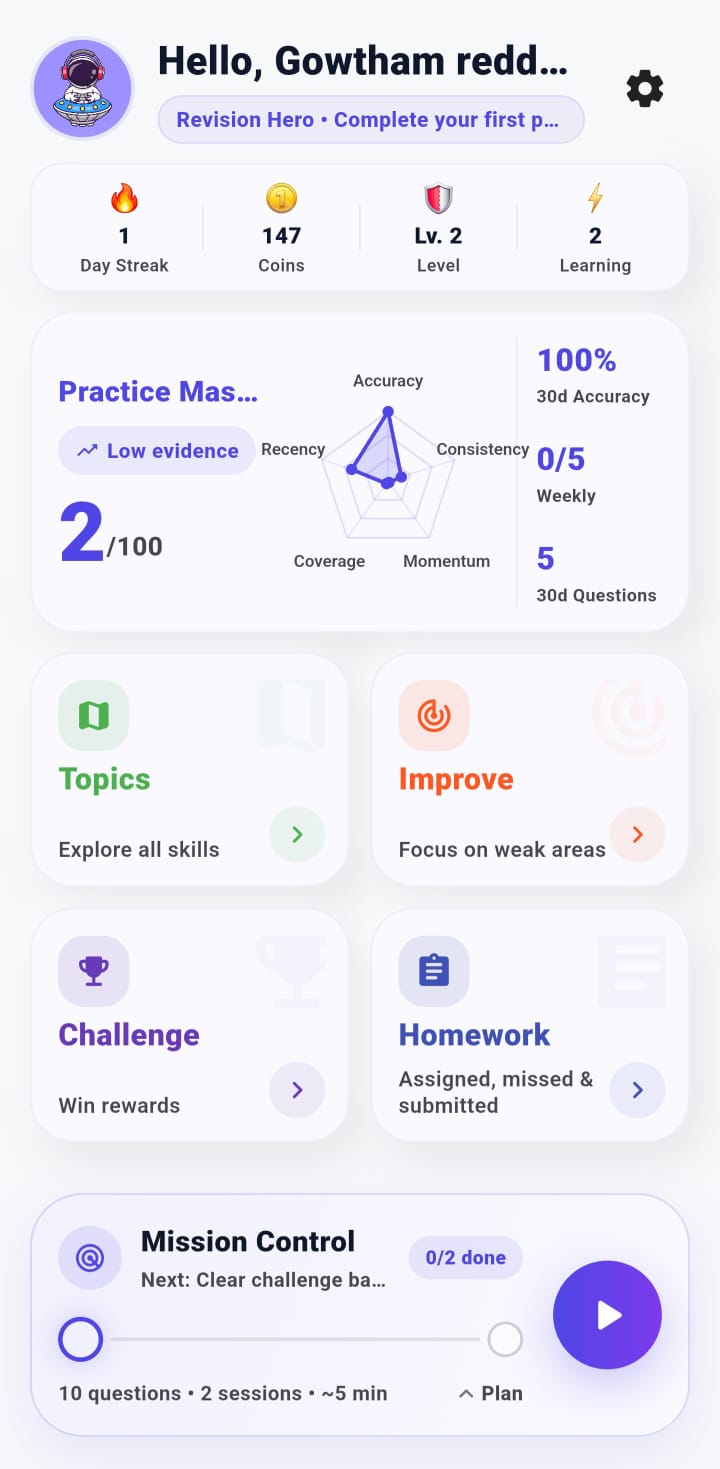
Focused practice, mastery feedback, topics, challenge access, homework, and mission control live in one place.
Parent corner
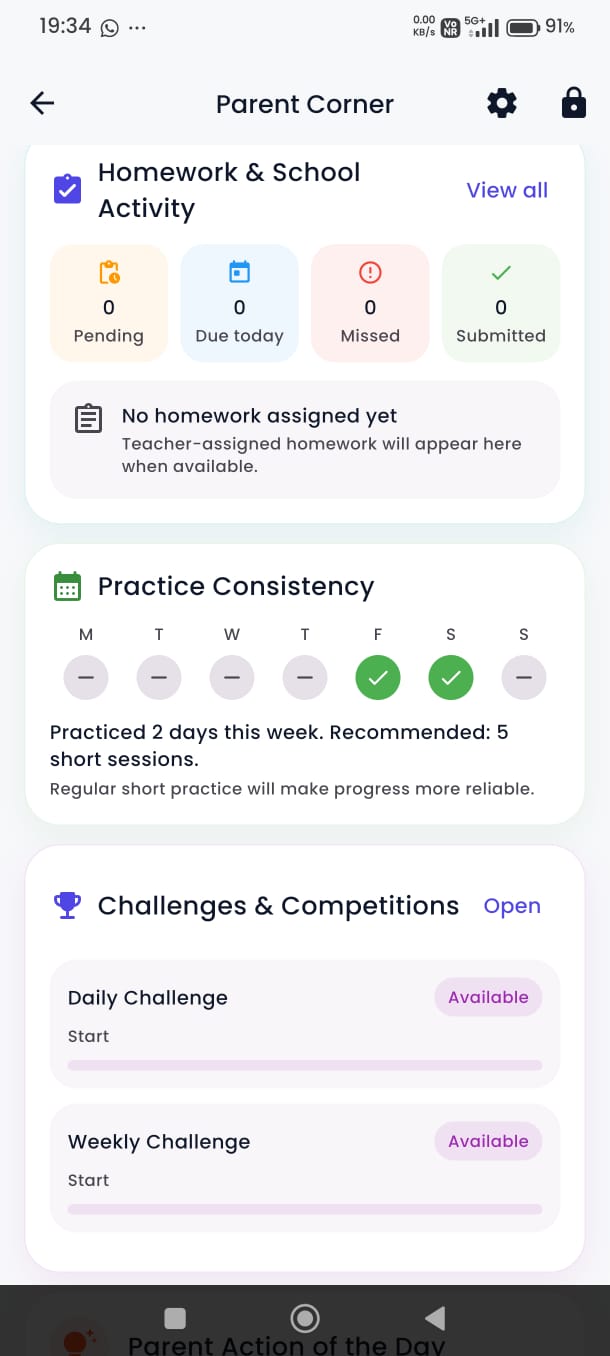
Parents can see homework status, practice consistency, and challenge participation without noisy reporting.
Teacher console
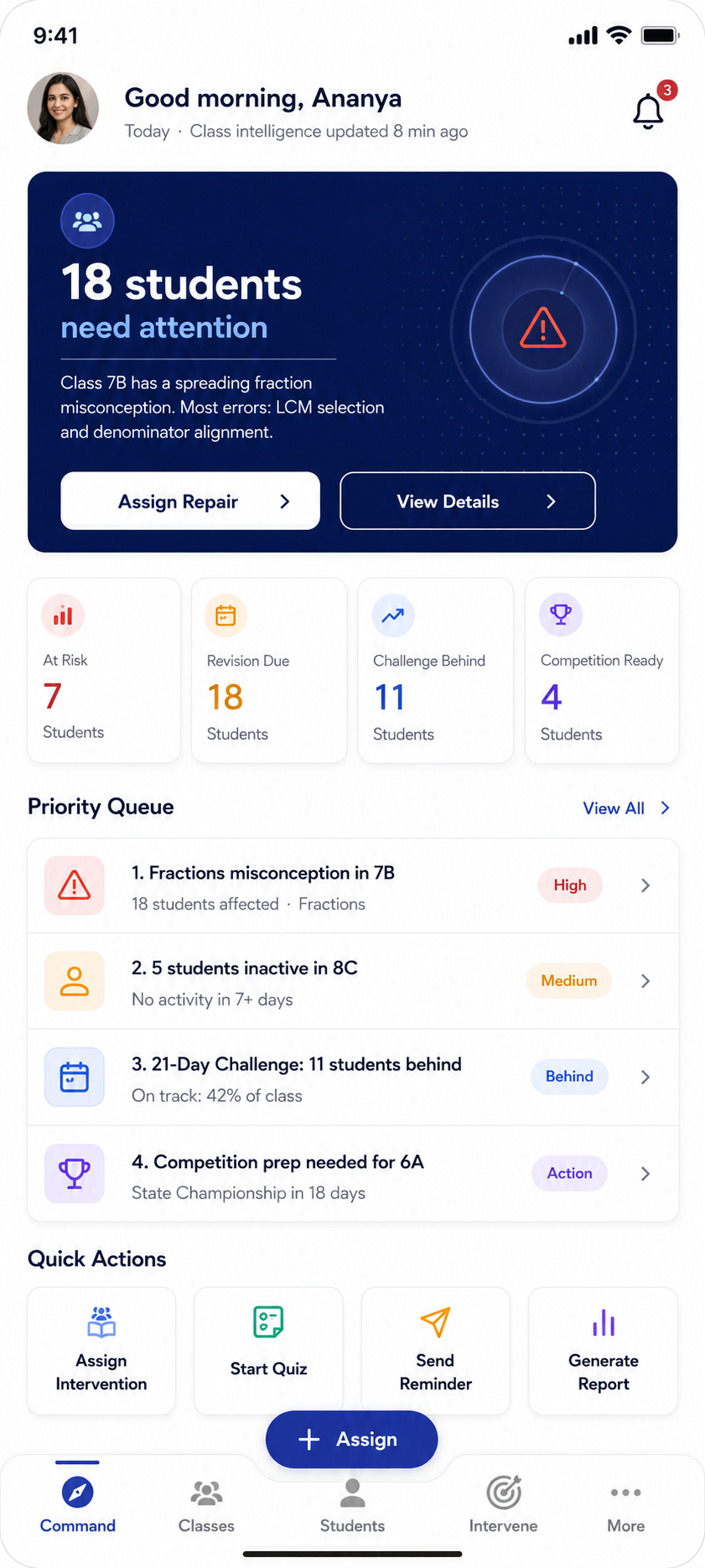
Teachers receive class-level signals, identify students needing attention, and take action quickly.
Coordinator report
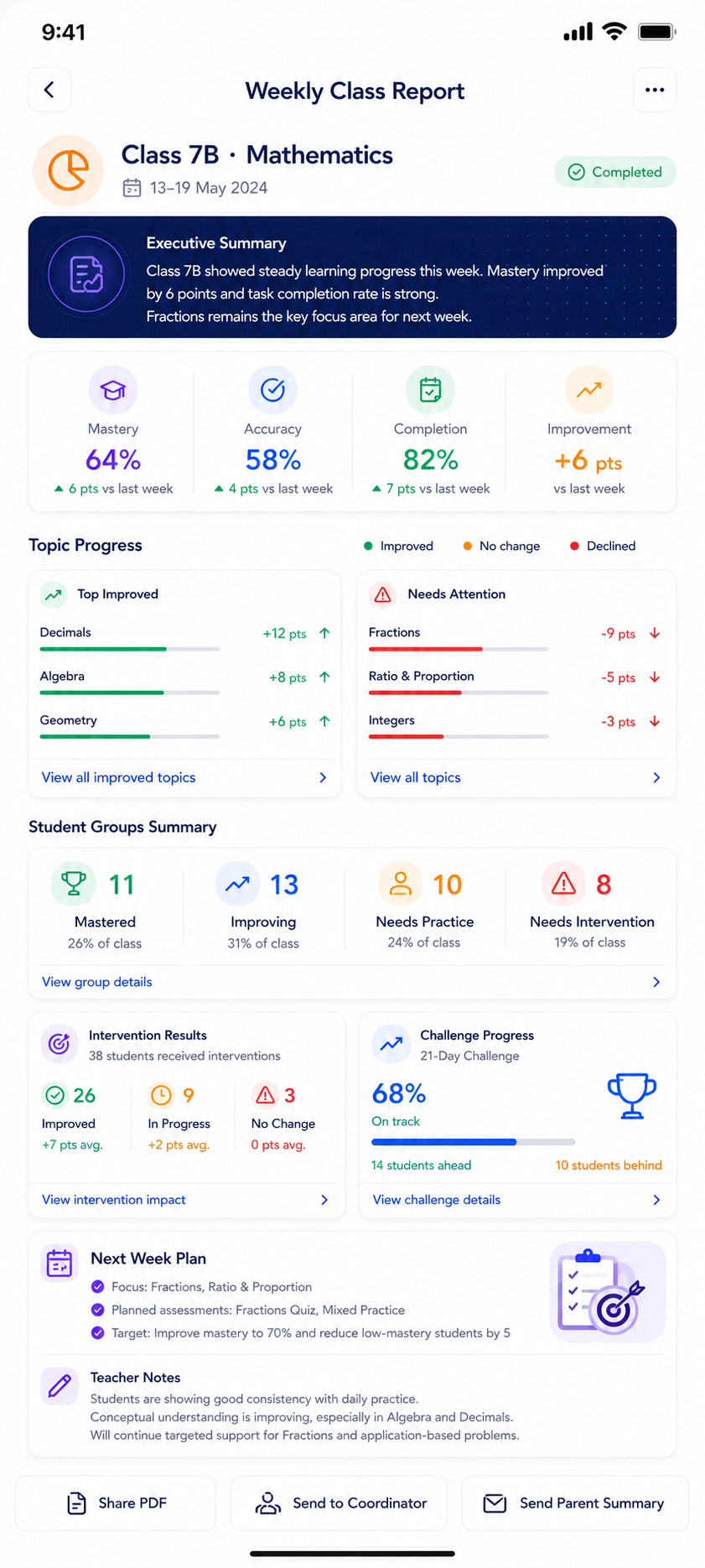
School leaders and coordinators can review mastery, topic movement, intervention impact, and next-week planning.