
Education infrastructure company
Building clearer learning systems for modern schools.
Turins builds school-ready education technology. Our flagship platform, TinyTutor, helps turn daily practice into mastery visibility, teacher support, parent clarity, and better next steps for students.
Learning system
School intelligence overview
Practice
8.6k
signals captured
Mastery
64%
+6 pts trend
Support
18
students flagged
Weekly mastery movement
Priority queue
Why Turins exists
Schools do not need more noise. They need clearer learning visibility.
Learning is visible too late
Schools usually discover gaps after tests, not during daily practice.
Practice is fragmented
Homework, revision, challenges, and reports often live in separate systems.
Teachers need clearer signals
Useful insights should reduce burden, not create another dashboard to manage.
Parents need calm clarity
Families need progress they can understand without pressure or confusion.
What we build
A focused ecosystem, not a crowded product shelf.
Turins keeps the public website simple: one company, one flagship product, one clear thesis — learning should become visible, adaptive, and actionable.
TinyTutor
Adaptive practice, homework, challenges, and mastery visibility for school students.
Learn more →Learning Intelligence
A signal layer that turns attempts, mistakes, hints, and practice patterns into useful insight.
Learn more →School Programs
Pilots, competitions, reports, and readiness frameworks for institution-level adoption.
Learn more →Flagship platform
TinyTutor makes practice visible.
TinyTutor is the student, parent, teacher, and school platform inside the Turins ecosystem. It connects structured practice, homework support, topic maps, challenges, rewards, and reports into one learning loop.
Product preview
One learning loop, visible across every role.
The homepage now shows one calm preview. Detailed screenshots are separated below so each role is easier to understand.
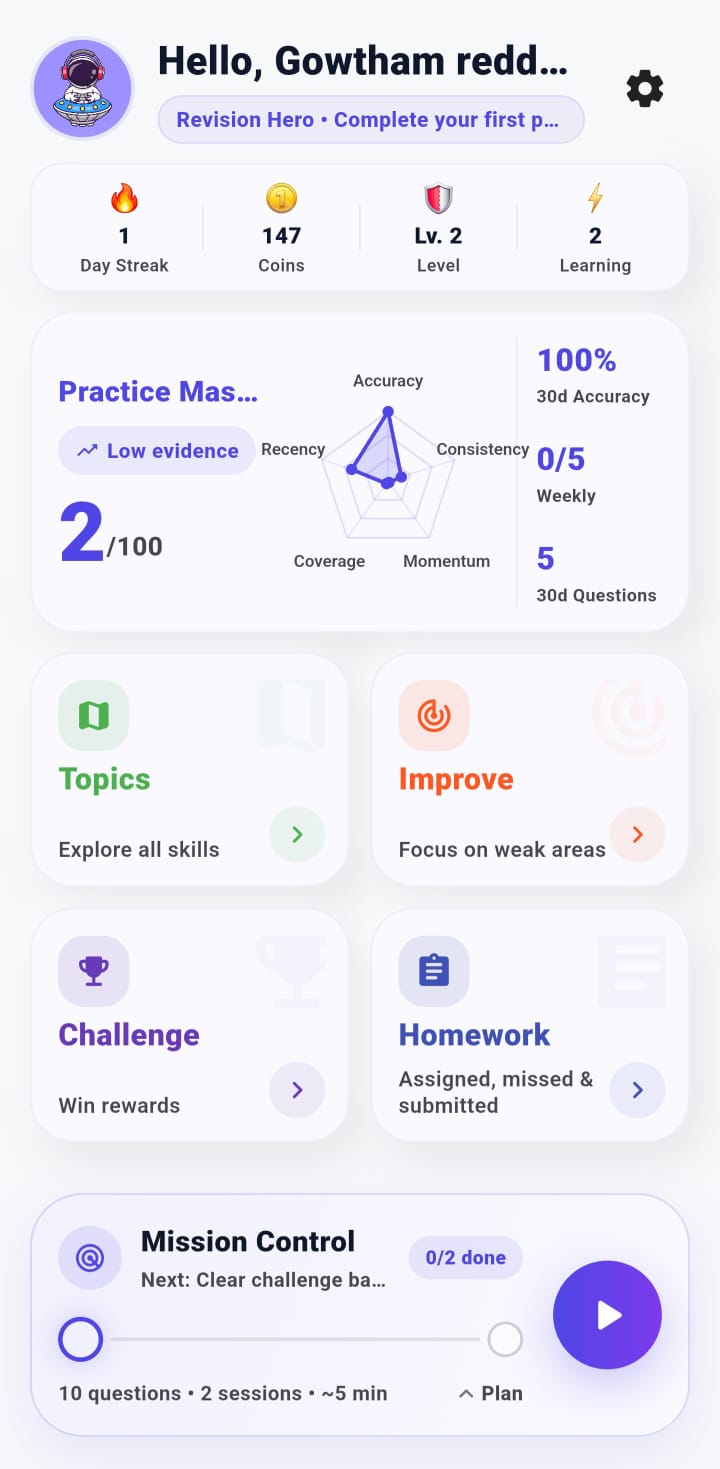
Student app
Practice, topics, challenge, homework, and mission control.
Student experience
A personal home for practice and progress.
Students open TinyTutor and immediately know what to do next: continue a mission, practice a topic, improve weak areas, complete homework, or join a challenge.
Student experience
A personal home for practice and progress.
Parent corner
Parents get clarity without another noisy dashboard.
The parent view focuses on what families actually need: homework status, practice consistency, missed work, submitted work, and challenge availability.
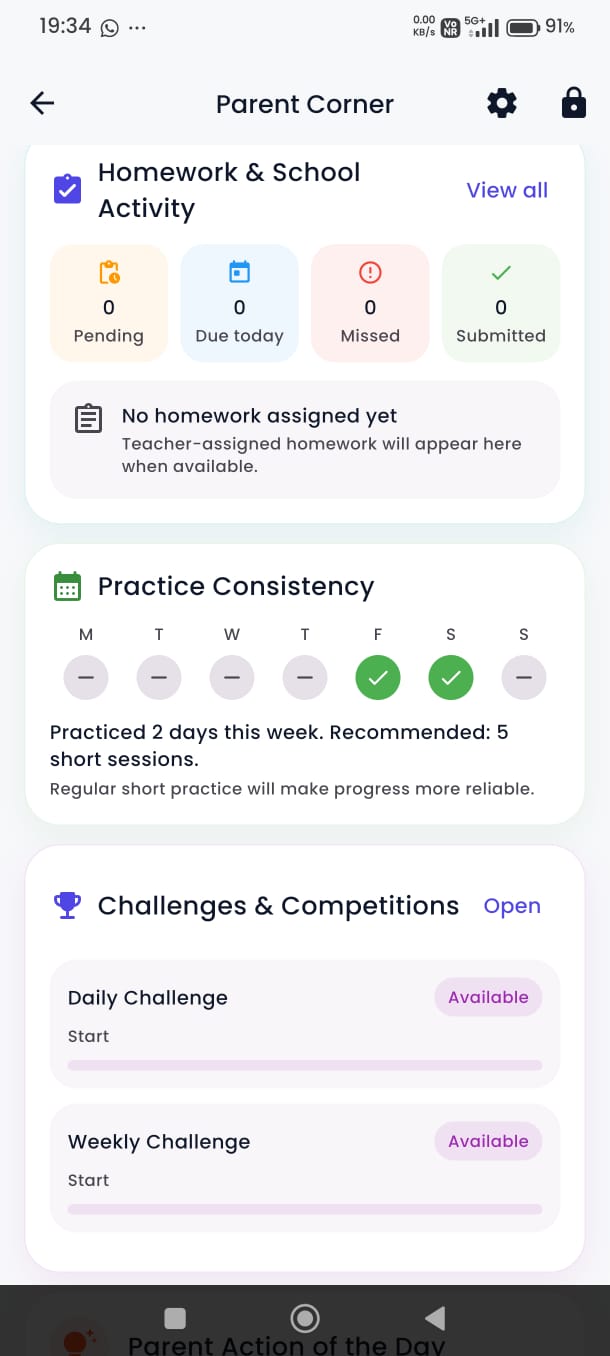
Parent corner
Parents get clarity without another noisy dashboard.
Teacher command view
Teachers see who needs attention and what to do next.
The teacher app turns class activity into a priority queue: students at risk, misconceptions, revision due, students behind in challenges, and quick classroom actions.
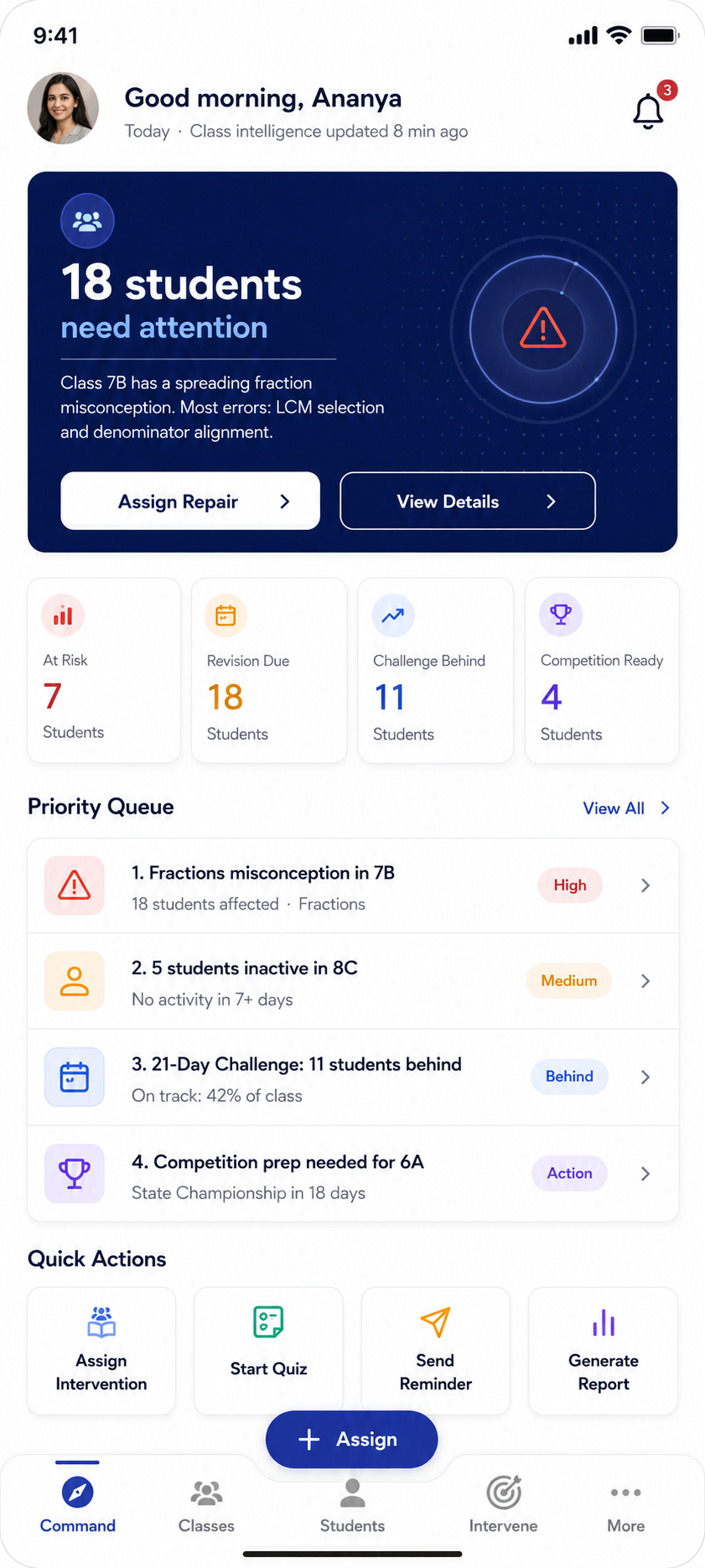
Teacher command view
Teachers see who needs attention and what to do next.
Curriculum and mastery map
Topic maps make weak areas easier to locate.
Students, teachers, and schools can see progress by domains, topics, and question types — making improvement more specific than marks alone.
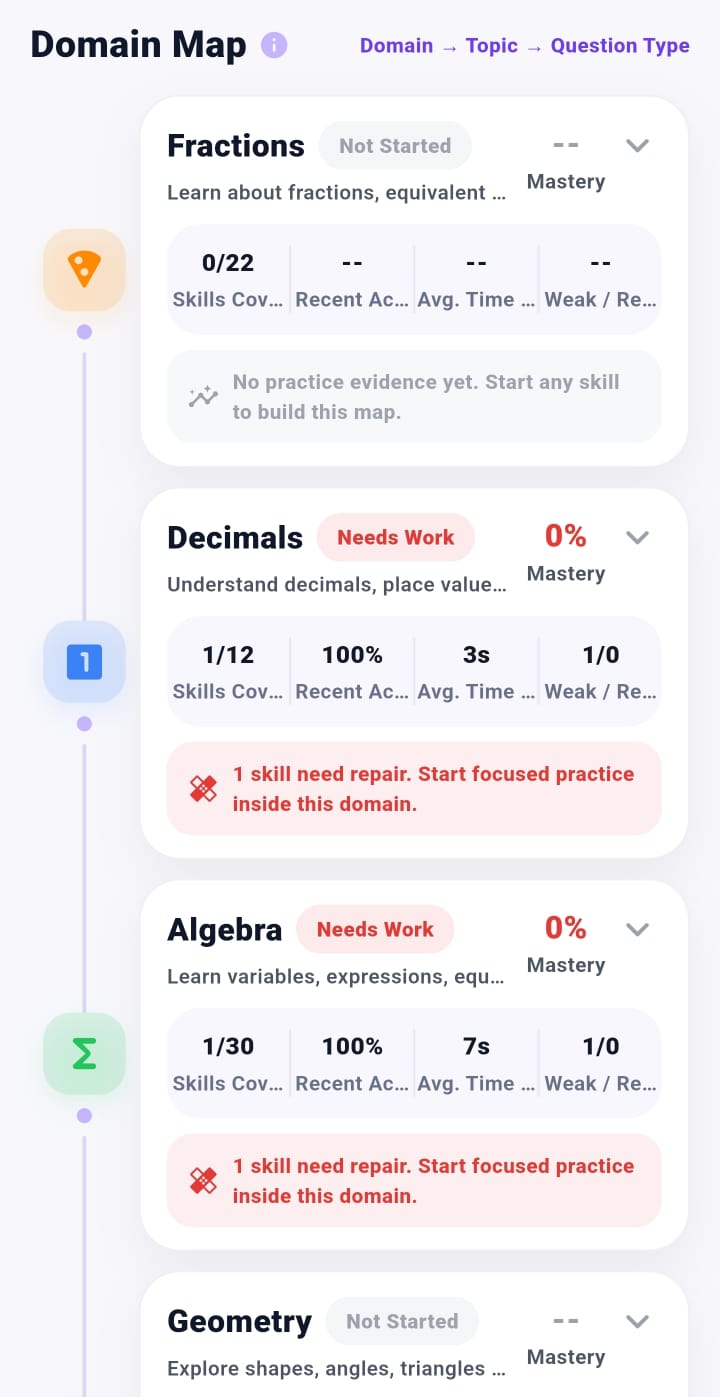
Curriculum and mastery map
Topic maps make weak areas easier to locate.
Rewards and progress
Motivation stays connected to learning behavior.
Rewards, titles, streaks, coins, badges, and progress are designed to support consistent practice — not endless screen time.
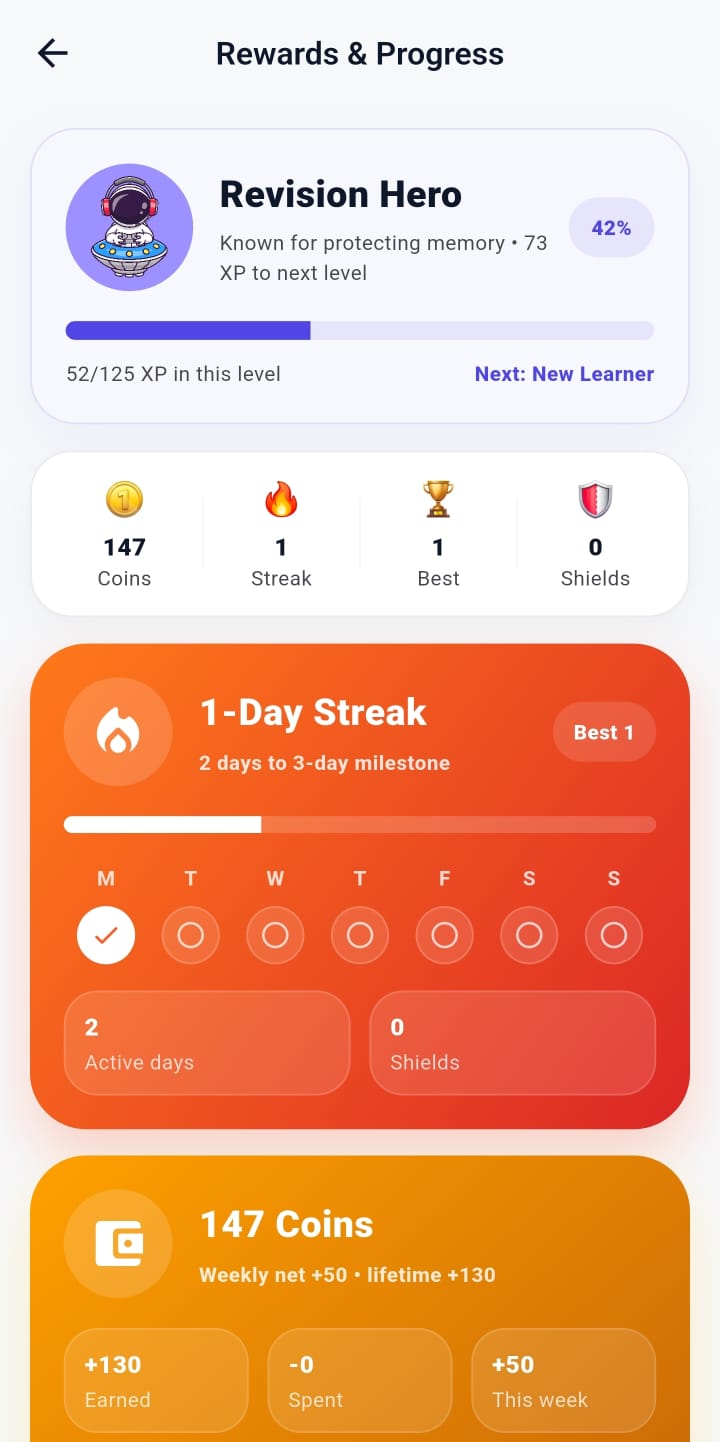
Rewards and progress
Motivation stays connected to learning behavior.
School reporting
Weekly reports make progress easy to review.
School leaders and coordinators can review mastery, accuracy, completion, improvement, topic movement, intervention results, challenge progress, and next-week planning in one place.
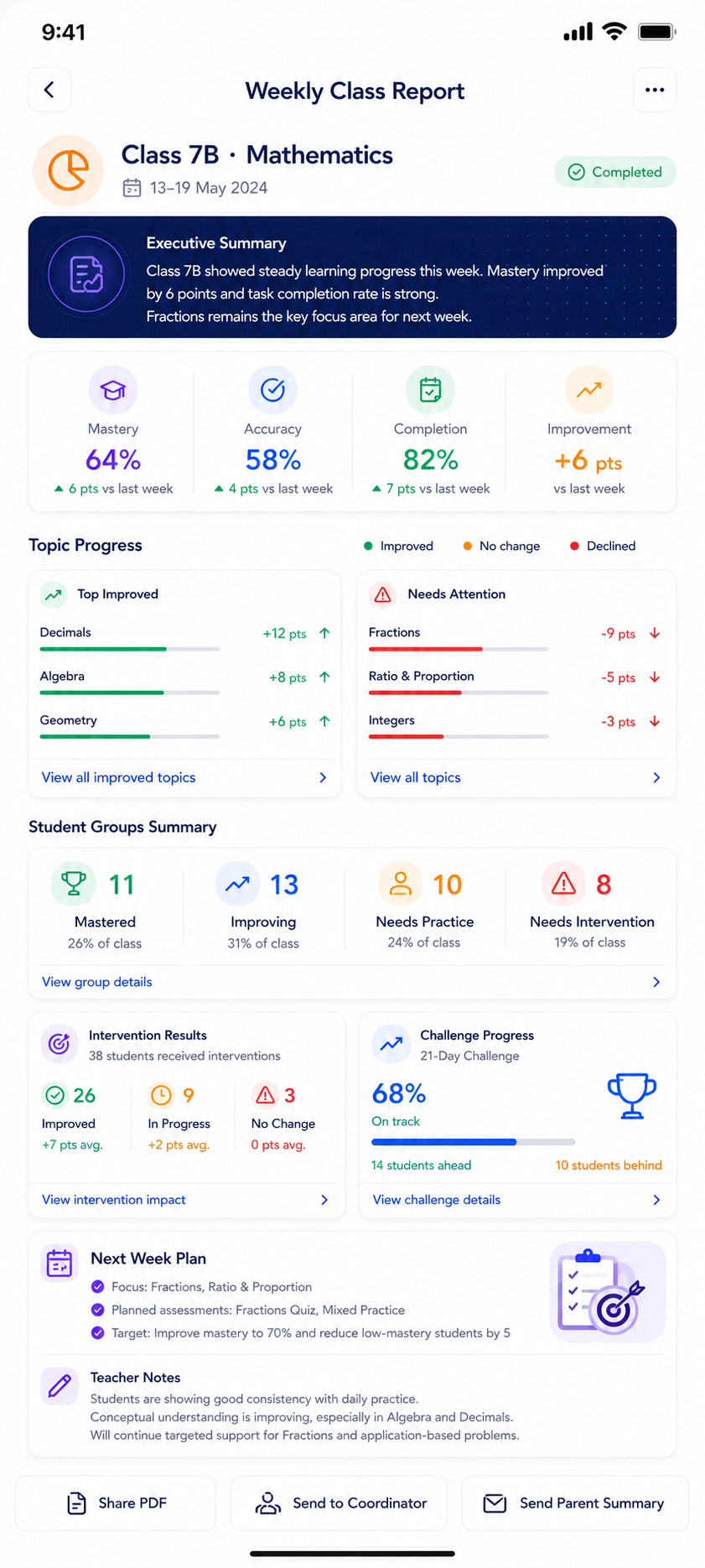
The operating loop
Every learning interaction should create a better next step.
Capture signals
Attempts, mistakes, time, hints, homework, and challenge participation create structured learning evidence.
Build insight
The system turns evidence into mastery visibility, gap diagnosis, and support priorities.
Guide action
Students get better practice, teachers get clearer signals, parents get clarity, and schools get reports.
Trust first
Built to support schools, not disrupt them.
Turins positions technology as an academic support layer: school-aligned, child-safe, teacher-supportive, and transparent about data and AI use.
Start carefully
Begin with a school walkthrough or a controlled pilot.
A principal should see the academic value, teacher workflow, parent communication, and implementation path before making a decision.